


 Codex App Manager
Desktop manager
Install, delta-update, switch versions and uninstall cleanly. Skins are one click away. macOS and Windows.
Explore ManagerA verbatim mirror that reaches mainland China, a one-click manager with delta updates, and 50 real-app skins. Free and open source.
Official GPT subscription

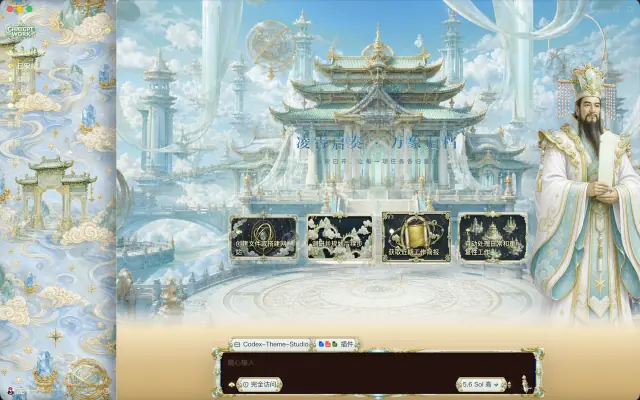
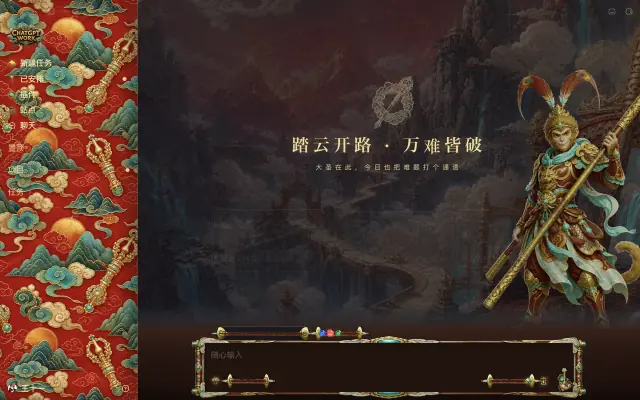
Now wearing Journey to the West
1.18M
installer downloads
Counted on the global R2 edge only
4,000+
GitHub stars
Across the three repositories
15min
between upstream checks
A release follows every change
50
verified skins
More on the way
Each owns one layer. They work together, and each works on its own.
Codex App Manager
Install, delta-update, switch versions and uninstall cleanly. Skins are one click away. macOS and Windows.
Explore Manager codex-app-mirror
Follows official releases every 15 minutes, publishes installers untouched, and serves mainland China from a domestic node.
Explore the mirror awesome-codex-skins
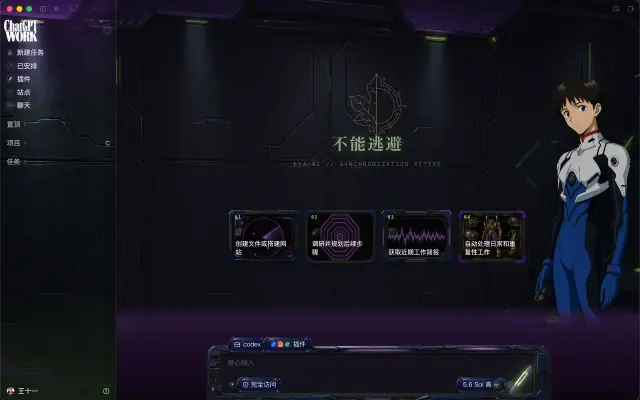
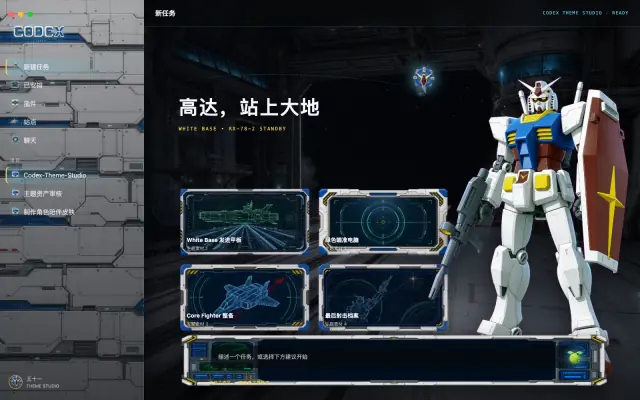
The open .codexskin format, 50 verified skins, and a production line anyone can use.
Browse skinsCodex App Managerv0.5.16
It inspects your machine, drafts a plan, and acts only after you confirm. Signatures are checked before every swap, with automatic rollback.

macOS updates use Sparkle deltas. Going from 26.924.20706 to 26.924.22138 took a 19.6 MB download.
EdDSA and code signatures are verified before the swap. Any failure restores the previous version, no half-installs.
Upgrade or downgrade to any mirrored release, or install a .dmg, .zip or .msix you already downloaded.
Installs the official MSIX directly, falls back to a portable install when the system refuses, then runs a health check.
Manager updates itself through the same geo routing: IHEP in mainland China, R2 elsewhere, GitHub as a fallback.
brew install --cask wangnov/tap/codex-app-manager50 verified skins, and every preview is a screenshot of a running Codex. Try one on in Manager and revert any time.
Hot-swaps a running Codex in about a second and writes nothing to disk.
Makes it stick, switching the native palette, code theme and fonts along with it.
One click back to stock, with config.toml restored to exactly your own settings.
Skins are injected live over the debugging protocol. No app file is modified and the official signature stays intact.

Skins that reference existing IP or people are non-commercial fan works for personal use; rights holders can request removal.

Not one byte of the installers is changed. Cloudflare R2 serves the world, a node at the Institute of High Energy Physics (CAS) serves mainland China, and one link picks the right one.
Latest stable
Codex 26.1007.30912
Published
macOS from OpenAI's static host and appcast, Windows from Microsoft Store metadata.
Cloudflare Cron drives the schedule with a 6-hourly GitHub Actions fallback. Nothing downloads unless upstream changed.
Installers land on GitHub Releases as-is, with SHA256SUMS and an upstream manifest.
Cloudflare R2 for the world, IHEP S3 for mainland China.
Short links route by region. macOS also gets a Sparkle delta-update feed.

Short links and GitHub Latest always point at the newest stable build. Manager follows it by default.
ViewOriginal installers from the official Beta channel, published on demand as GitHub prereleases.
ViewOfficial deb and rpm packages (x64 and ARM64), signature-checked and published as prereleases.
ViewNo need to take our word for it. Hash the download yourself and compare.
Sparkle archives are copied byte for byte along with OpenAI's EdDSA signatures. The mirror cannot forge them and never re-signs.
Every release ships SHA256SUMS and a release-manifest.json recording where each file came from.
Manager for macOS is Developer ID signed and notarized by Apple. The Windows installer is not Authenticode-signed yet; a paid code-signing certificate is planned, and releases stay unsigned until one is configured.
All three projects are MIT licensed. The mirror pipeline and every release are on GitHub for anyone to audit.

# Download the Apple Silicon installer
$ curl -L -o Codex-mac-arm64.dmg \
    https://codexapp.agentsmirror.com/latest/mac-arm64
# Hash it and compare with SHA256SUMS on the release page
$ shasum -a 256 Codex-mac-arm64.dmg
6513a10d487a9575ec8420c1f5b869dfa652d29a3d9104a46405e8a14ee8d625
  Codex-mac-arm64.dmg
✓ Matches SHA256SUMS
# Download the Windows x64 installer
PS> Invoke-WebRequest https://codexapp.agentsmirror.com/latest/win-x64 `
      -OutFile Codex-Windows-x64.msix
# Hash it and compare with SHA256SUMS on the release page
PS> (Get-FileHash .\Codex-Windows-x64.msix -Algorithm SHA256).Hash
36770ADDA59F71027E94D3D18FF7087DA45A41990D1A1575080CD3149DCAB30A
✓ Matches SHA256SUMS
Every direct link is permanent, always points at the latest build, and works from mainland China.

Once Manager is installed it takes care of installing and updating Codex itself.
brew install --cask wangnov/tap/codex-app-managerwinget install Wangnov.CodexAppManagerLinks resolve to the latest release, v0.5.16. Windows may show a SmartScreen prompt on first run; the code signing policy explains why.
Just want the official installer? These mirror links pick the fastest node for your region.
SHA256SUMSUpstream manifest JSONPast releasesMicrosoft Store listingLinux PreviewBeta prereleases
Manager tries on, applies and reverts skins. Pick any of these three routes.
Open the Skins page in Manager, browse the store by theme and try one on.
Download a skin pack from GitHub Releases and drop it onto the Skins page.
Inject directly with the studio tool from the repository. Handy for building skins.
$ git clone https://github.com/Wangnov/awesome-codex-skins
$ cd awesome-codex-skins/studio
$ node bin/codex-theme.mjs start --theme journey-to-west
Yes. They are byte-for-byte copies from OpenAI's static host and the Microsoft Store with signatures intact. Check them yourself against SHA256SUMS.
Each short link looks at where the request comes from. Mainland China is sent to an S3 node run by the Institute of High Energy Physics, Chinese Academy of Sciences; everyone else is served by Cloudflare R2.
Yes. Since July 2026 OpenAI ships the Codex desktop app under the ChatGPT brand, so it installs as ChatGPT with Codex inside. The mirror keeps the Codex file names; the contents are identical to the official build.
That usually means policy blocks MSIX installs from outside the Store; the file is fine. Try the official Microsoft Store page first. On a personal PC, allow apps from any source in Settings; on a work or school device, ask your administrator. The mirror does not and cannot bypass local policy.
No. Skins only inject styles into the running interface, never touching app files or signatures. A try-on can be undone at any time, and Full Restore puts config.toml back to your own settings.
OpenAI's Linux Preview packages (deb for Ubuntu and Debian, rpm for Fedora) are mirrored as GitHub prereleases. Manager currently supports macOS and Windows.
No. All three projects are free and MIT licensed.